
How do you make your digital forms accessible to everyone?
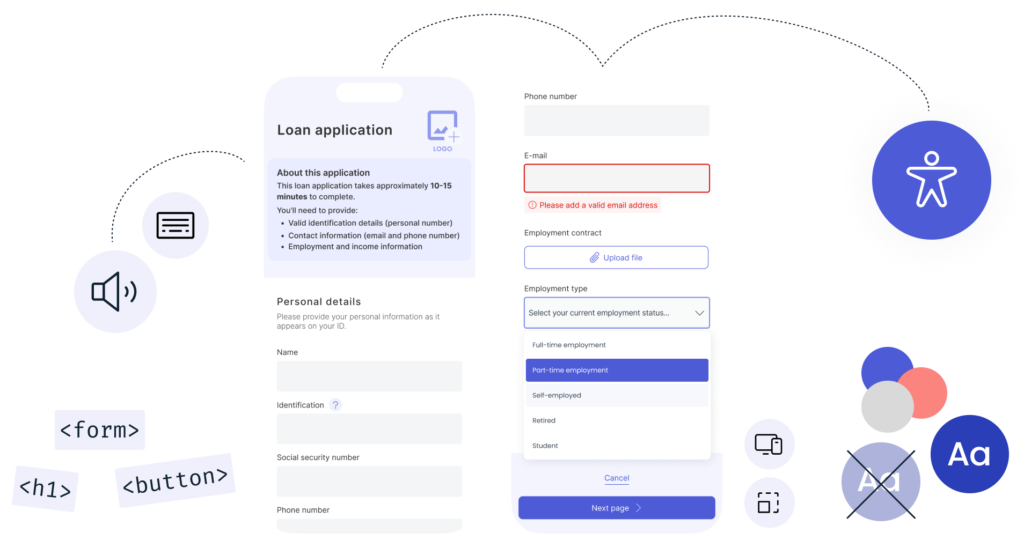
Since June 28, 2025, the EU’s Accessibility Directive has applied—an important milestone in creating a more inclusive digital society. This means that many companies and organizations must ensure that their digital products, including forms, meet the requirements set by the Accessibility Directive.
At Sweet Systems, we’ve taken that step—with Sweet Forms and our new accessibility-adapted form template, you’re ready. We’ve made updates to meet WCAG 2.2 level AA, and this support has been available since Sweet’s Summer Release 2025, version 5.3. Book your upgrade if you are running an older version.
What is the European Accessibility Act?
What do you need to do to use the accessible template in Sweet Forms?
To take advantage of the new accessibility-adapted template in Sweet Forms, you’ll need to take a few important steps:
-
Upgrade to version 5.3 of Sweet Forms – the new template is available from this version onwards.
-
Switch the template in your forms to the new accessible version. This is done in the settings for each individual form.
-
Adjust your CSS – your current styling and CSS customizations need to be updated to work with the new template, its structure, color contrasts, and more. These changes need to be applied either per form or in your global CSS.
Sweet is here to help you with all of this, so don’t hesitate to book a time with us to make your forms fully accessible. Contact us today.
Need help? You can also schedule a workshop or meeting with us to create a plan together.
How do you write accessible form content?
Once the technical requirements are in place, the next step is to ensure the content of your forms is accessible—and we strongly advise you to prioritize that work.
We highly recommend following our guidelines for accessible form design, where we walk through essential principles on how to write and structure your form content. Here are a few key recommendations:
-
Phrase questions clearly and concisely – avoid long or complex sentences.
-
Place the most important information at the top – users should immediately understand what the form is about.
-
Keep instructions visible at all times – avoid using placeholders that disappear when users start typing.
-
Follow a logical order in your questions – group related fields and use clear headings.
-
Avoid using color as the only indicator – combine color with text, symbols, or icons to convey errors or status.
You’ll find the guide here
👉 Sweet Forms – Guidelines for digital accessibility (PDF)
By following these steps, you ensure that your forms are not only technically accessible – but also clear, usable, and inclusive for everyone.
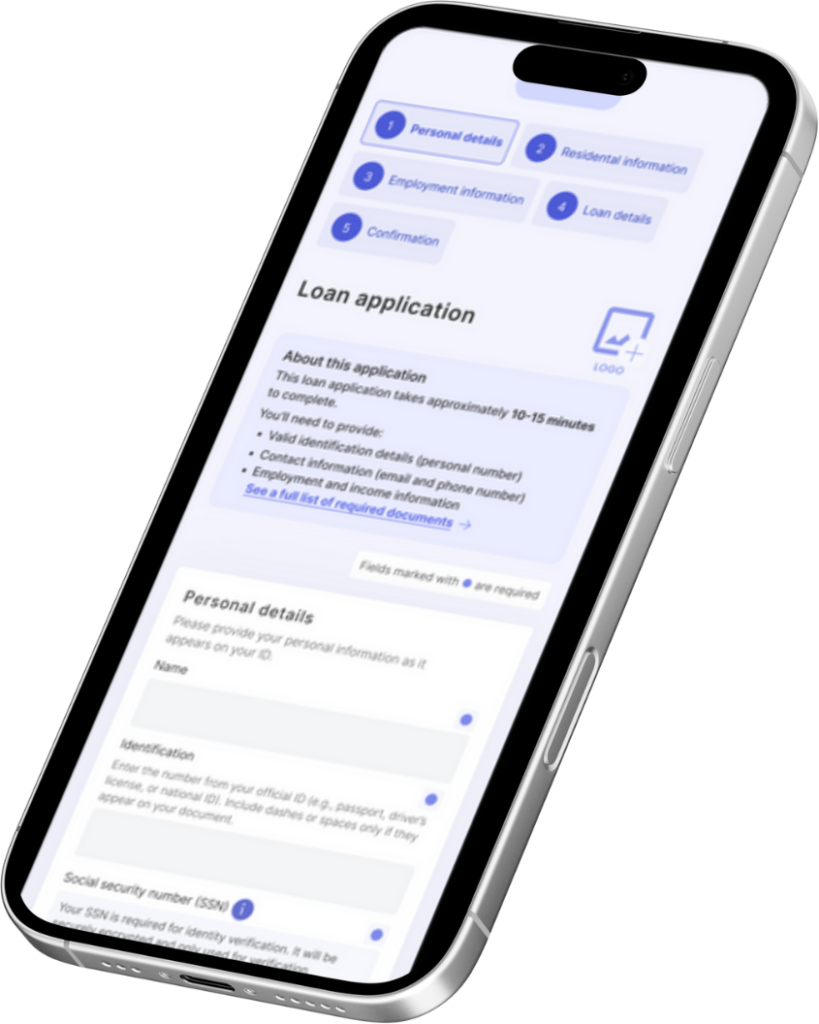
Which accessibility features are in Sweet Forms?
At Sweet Systems, we’ve developed a new template for Sweet Forms that fully complies with WCAG 2.2 AA and the new European Accessibility Act. This new template is designed to make it as easy as possible for our customers to create accessible forms – without needing to be accessibility experts.
Here are some examples of improvements and built-in support features:
🔹 Alt text: All images and icons in forms can be assigned alternative text so that screen readers can interpret the content correctly.
🔹 Keyboard navigation: All elements in the form are accessible via keyboard – allowing users to navigate entirely without a mouse.
🔹 Screen reader support: Sweet Forms is compatible with leading screen readers like NVDA, JAWS, and VoiceOver.
🔹 Semantic HTML: We’ve updated the HTML structure of our forms to ensure content is correctly understood by assistive technologies and screen readers.
🔹 New form templates: The new templates feature improved contrast, clearer text, and larger clickable areas – designed for all users.
🔹 Accessible calendar component: We’ve replaced the calendar component used for date selections (e.g., “date range” or “date & time”) with a version that works better with screen readers and keyboard navigation.
Create a better user experience for your organization and your users
Using Sweet Forms and the new accessibility-adapted version isn’t just a way to comply with the law — it’s an opportunity to:
-
Create a better customer experience for everyone
-
Reduce the risk of discrimination
-
Strengthen your brand by showing responsibility and inclusion
-
Future-proof your digital services
Need help getting started?
We understand that navigating technical requirements and new regulations can feel complex — that’s why we at Sweet are happy to help with both the technical setup and guidance based on our best practice guidelines for form creators.
Watch our webinar on digital accessibility (March 6, 2025).
Learn how to meet the requirements.
Want to learn more?
Interested in getting started with accessible forms in Sweet Forms today? Get in touch — we’d love to tell you more about how you can meet the requirements of the European Accessibility Act with Sweet. Contact us here.
Frequently asked questions about the Accessibility Act and Sweet Forms
When did the European Accessibility Act start to apply?
The EU Accessibility Directive has applied since June 28, 2025.
Who is covered by the Accessibility Act?
Among others, banks and financial services, e-commerce solutions and electronic communication services.
Do the requirements apply to micro-enterprises?
Micro-enterprises are exempt from the requirements, but there are strong business reasons to work with accessibility anyway – more users can access your services.
Which version of Sweet Forms is required?
The accessibility-adapted template is available from version 5.3 (Summer Release 2025). After upgrading, you switch template in each form and adjust your CSS.
Do the forms work with screen readers?
Yes. Sweet Forms is compatible with leading screen readers such as NVDA, JAWS and VoiceOver, and all elements can be reached with the keyboard.